
filter replacement
What Does the LED Indicator Light Mean on My Zero Installation Purifier?

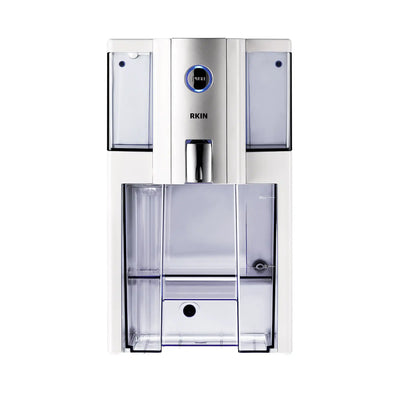
Your Zero Installation Purifier has a front-facing LED light that monitors filter life automatically. Here's what each status means and when to take action.
LED Color Guide
- Green (solid) — All filters are in good condition. No action needed.
- Yellow (flashing) — Filter life is running low. Order a replacement filter soon so you have it on hand before the light turns red.
- Red (solid) — Filter is exhausted. Replace your filters before running another cycle. Running the unit past this point may reduce water quality.
How Often Should I Replace My Filters?
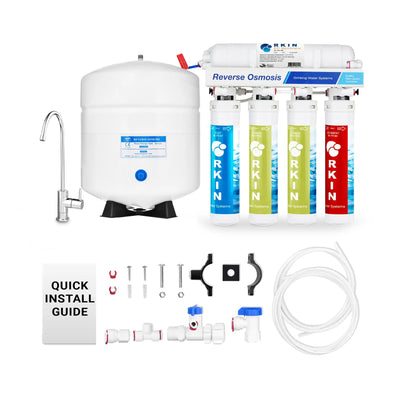
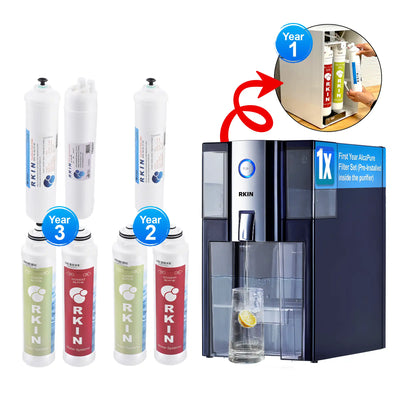
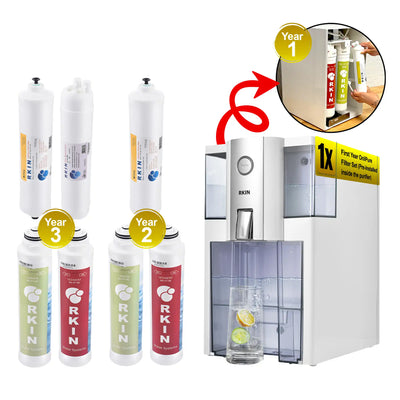
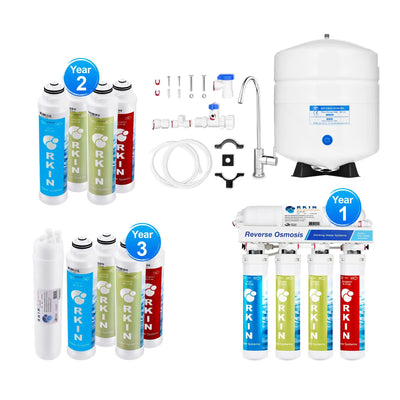
The Zero Installation Purifier uses a 4-stage filtration system. Filter life depends on your water quality and daily usage. Here are the typical replacement intervals from the manufacturer:
- Sediment Pre-Filter (Stage 1 — RC-FT-82): Every 12 months or as needed
- Carbon Block Pre-Filter (Stage 2 — RC-FT-92): Every 12 months or as needed
- RO Membrane (Stage 3 — ZIPM75): Every 24 months or as needed
- AlcaPure or OnliPure Post-Filter (Stage 4): Every 12 months or as needed
If your water has higher-than-average sediment, chlorine, or hardness levels, filters may reach their limit sooner. An abnormal taste in the filtered water is a good indication that the post-filter needs replacement. You can order all four filters together as a complete replacement kit to simplify the process.
Note on hard water: Hardness over 10 gpg (171 mg/L) may reduce the lifespan of the RO membrane. If filtered water production decreases over time, replace the RO membrane and substitute the Stage 2 carbon block with the Anti-Scale Carbon Pre-Filter to prevent premature membrane fouling.
Do I Need to Reset the Indicator After Replacing Filters?
Yes — after installing new filters, reset the LED by holding the power button for 5 seconds until the light flashes and returns to green. This resets the filter life timer. If you skip this step, the indicator may still show yellow or red even with new filters installed.
Filter Subscription
If you enrolled in automatic filter delivery at checkout, replacement filters arrive on schedule before the LED changes color. To check your subscription or adjust delivery timing, contact us at 1-800-803-4551 Monday through Friday, 9 AM–5 PM EST.
Frequently Asked Questions
What do the LED colors mean on the Zero Installation Purifier?
Green means all filters are in good condition. Yellow (flashing) means filter life is running low and you should order replacements. Red means filters are exhausted and should be replaced before the next use.
How do I reset the filter indicator light after replacing filters?
After installing new filters, hold the power button for 5 seconds until the light flashes and returns to green. This resets the filter life timer.
How often do Zero Installation Purifier filters need to be replaced?
The sediment pre-filter and carbon block pre-filter should be replaced every 12 months. The RO membrane lasts approximately 24 months. The post-filter (AlcaPure or OnliPure) should be replaced every 12 months or when you notice a change in water taste. Actual intervals depend on your water quality.
Still Have Questions?
Contact our support team at rkin.com/contact or call 1-800-803-4551. We're happy to walk you through filter replacement step by step.





0 comments